

How to access the Yealink phone online interface (GUI)
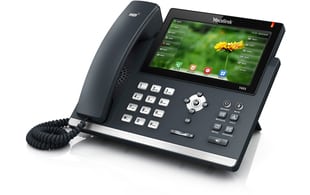
How to access the GUI. What is the default username and password for Yealink T42S / T46S / T48S? The default username and password for almost all Yealink devices is username: admin and password: admin. If your phone has already been provisioned by Globe2’s auto-provisioning server then the password will have been changed. What to […]
Purple Wifi Pricing and benefits.
Gain an insight into your customers and use this information for marketing purposes with ease with Purple Wifi. In this post we discuss the benefits of Purple Wifi and the pricing.. The advantages of Purple Wifi: Capture user data such as gender, email and much more information such as their interests. Display a splash page […]
How to change your default account on your Yealink device (Yealink T42S, T46S, T48S)
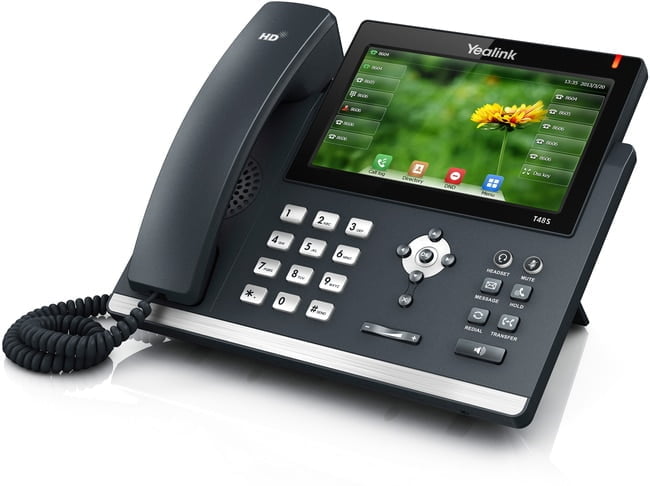
In this handy guide, we will be showing you how to change your default account on your Yealink device. Dependent on your Yealink device this guide may differ to your process. We ourselves use the touchscreen Yealink T48s and would recommend this device to anyone, you can read our review on the device here. Instructions: […]
How To Auto Provision Your Yealink T42S, T46S, T48S Phone
Setting up the auto provision your Yealink device (this guide covers Yealink T42, Yealink T46 and Yealink T48 devices) is simple, all you have to do is follow our simple guide below. This process should also work on devices such as the Yealink T23, T40, T41, as well as the Yealink W52P and W56P. The […]
How to place your phone on to DND (Do Not Disturb)
Learn how to place your phone or direct dial on to do not disturb (DND) via your Yealink handset or the online portal. Remember if do not disturb is enabled then you will be unable to receive any calls whilst this is enabled Guide: Via your Yealink T42S, T46S or T48S handset. On the screen […]
How to set-up call forwarding for your direct dial
If you are leaving the office or would like to forward calls to another user simply follow this handy guide to setting up call forwarding. Please note: this guide will only work if your phone system is provided by Globe2. The process: Via the online portal Login to the business portal using the details sent […]
How to pause/resume/stop call recording during a call
If you have our feature-rich telephone system you can enjoy features such as the ability to pause or stop call recording live during a call in progress. Please note: this feature may need to be enabled by your system admin or by us. If you do not use our phone system, these features will not […]
How to quickly redial someone on a Yealink T42S, T46S or T48S
Being able to quickly redial someone is great and very time consuming, simply follow the below guide to learn how to quickly redial someone. The guide: On your Yealink phone press the redial button once which will take you to your placed calls. You can then press the redial once more to dial your last […]
How to access your voicemails on a Yealink T42S, T46S and T48S
Accessing your voicemails is very simply from the Yealink range of devices. The below guide will demonstrate how you can access your personal voicemails for your user. Instructions: Did you know? Most providers allow you to configure voicemail-to-email or access your voicemails by logging in to a management portal. Already a Globe2 Business VoIP customer? […]
How to access the phonebook on your Yealink T42S, T46S, T48S or Yealink W52P / W56H handset.
In this guide we are going to demonstrate how you can access your phonebook via your Yealink handset. Remember, you may need to ask us to first set this up for you, if you haven’t already. The process: Yealink T4x series. Click the directory key on your phone. This will then load the online phonebook. […]