

How to set a distinct ringtone from device to device on Yealink phones
If you want to be able to tell whether a call is internal or external, or you want to differentiate between one person or another, you can set a different ringtone according to the number that has dialled you – with the default ringtone being left for external calls. To get custom ring tones for […]
Yealink Manuals and user guides.
Are you looking for a Yealink (T42s, T42g, T46s, T46g, T48s & T48g) manual for your desk phone? Please see the links below where you can download the specific manual / user guide for your phone. Yealink manuals: Please click on the relevant link below to download the Yealink manual / user guide. If you […]
How to change the ringtone on a Yealink T42s, T46s or T48s device.
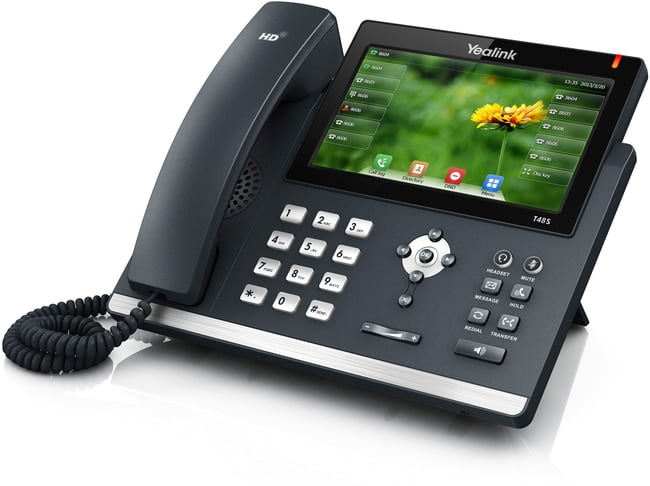
In this handy guide we will teach you how to change your ringtone with your Yealink device. This guide applies to Yealink T42s, T42g, T46s, T46g, T48s, T48G. We ourselves use the Yealink T48S device, for more information, please read our review here. The process: Press Menu and then click basic (or basic settings). Then […]
How to access the Yealink phone online interface (GUI)
Learn how you can quickly access your Yealink phones’ interface. Simply follow the below guide, just remembered this guide is designed for the Yealink T4x series and so other models may differ slightly. How to access the GUI. Press the ‘OK’ button on your Yealink desk phone and take note of the IPv4 address. Then […]
How to change your default account on your Yealink device (Yealink T42S, T46S, T48S)
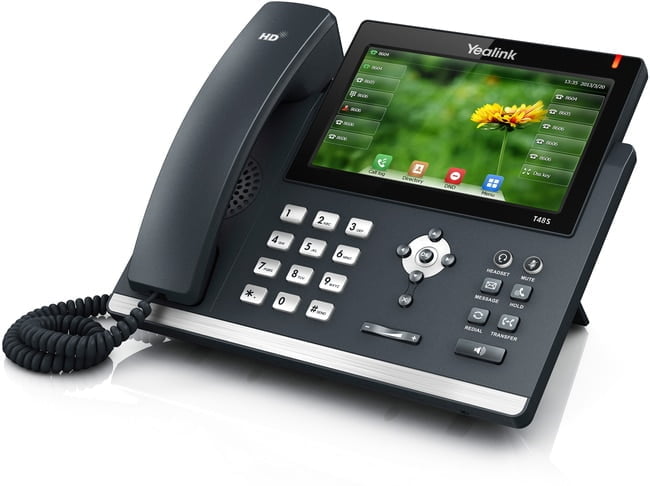
In this handy guide, we will be showing you how to change your default account on your Yealink device. Dependent on your Yealink device this guide may differ to your process. We ourselves use the touchscreen Yealink T48s and would recommend this device to anyone, you can read our review on the device here. The […]
How To Auto Provision Your Yealink T42S, T46S, T48S Phone
Setting up the auto provision your Yealink device (this guide covers Yealink T42, Yealink T46 and Yealink T48 devices) is simple, all you have to do is follow our simple guide below. This process should also work on devices such as the Yealink T23, T40, T41, as well as the Yealink W52P and W56P. The […]
How to place your phone on to DND (Do Not Disturb)
Learn how to place your phone or direct dial on to do not disturb (DND) via your Yealink handset or the online portal. Remember if do not disturb is enabled then you will be unable to receive any calls whilst this is enabled Guide: Via your Yealink T42S, T46S or T48S handset. On the screen […]
How to quickly redial someone on a Yealink T42S, T46S or T48S
Being able to quickly redial someone is great and very time consuming, simply follow the below guide to learn how to quickly redial someone. The guide: On your Yealink phone press the redial button once which will take you to your placed calls. You can then press the redial once more to dial your last […]
How to access your voicemails on a Yealink T42S, T46S and T48S
Accessing your voicemails is very simply from the Yealink range of devices. The below guide will demonstrate how you can access your personal voicemails for your user. Guide: On your Yealink phone press the message button (looks like an envelope) or if you use our feature-rich phone system, you can alternatively dial 1571. Once you […]
How to access the phonebook on your Yealink T42S, T46S, T48S or Yealink W52P / W56H handset.
In this guide we are going to demonstrate how you can access your phonebook via your Yealink handset. Remember, you may need to ask us to first set this up for you, if you haven’t already. The process: Yealink T4x series. Click the directory key on your phone. This will then load the online phonebook. […]